Camera
FX2
My main camera for content.




Master pro workflows with the Sony FX2 Cinema Camera
We could not load your course progress. Please refresh the page to try again.
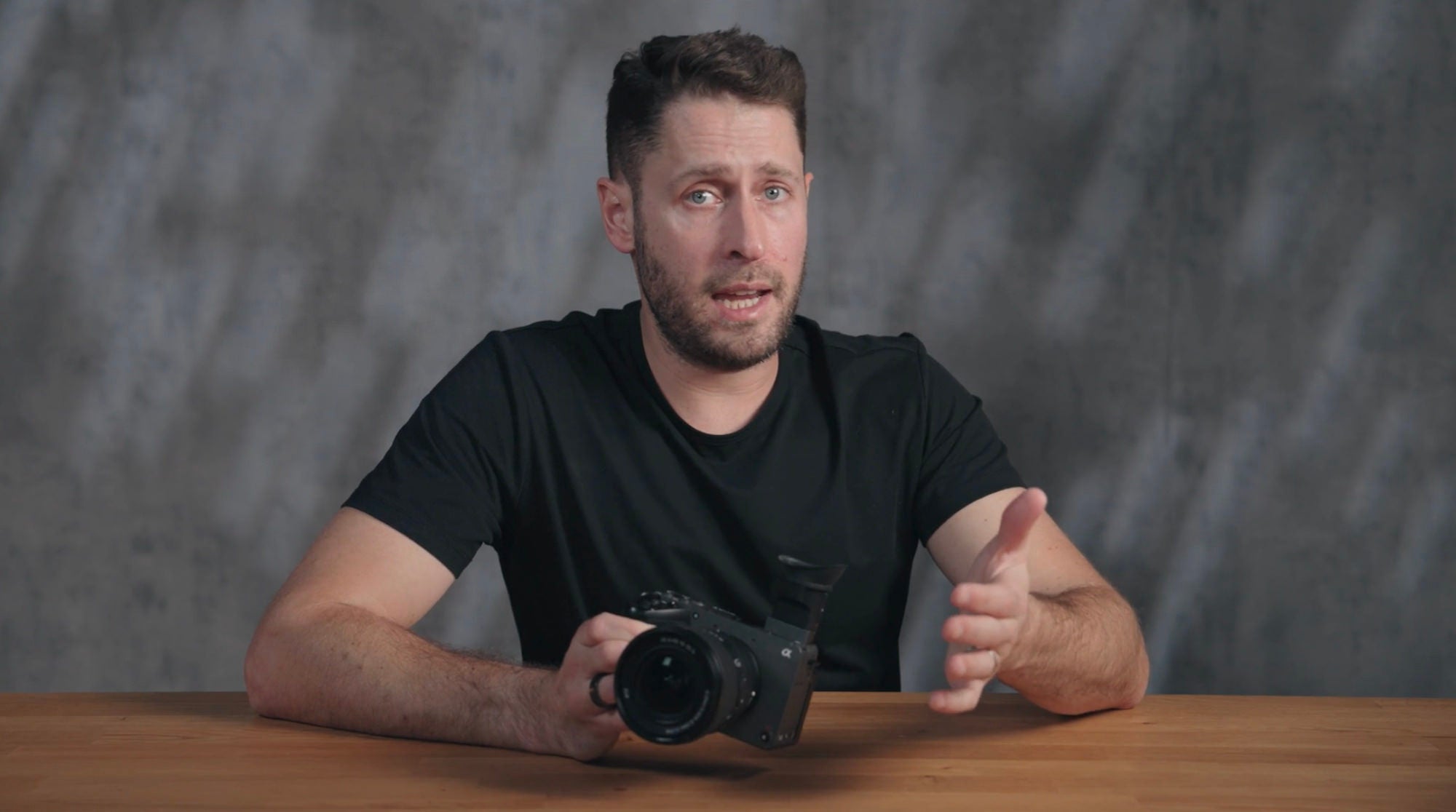
Join Instructor Chris Brockhurst and see how the Sony FX2 turns real-world shoots into confident, repeatable wins. From solo interviews to high-pressure events and crafted narrative, master workflows that keep you rolling and deliver a cinematic, consistent look. Then pivot to commercial and social deliverables without changing your setup.
I'm fortunate to have tried a lot of gear, so everything in my bag has a purpose. The FX2 is the base. It's reliable, works well with all my lenses, and has the modern features I need. I love primes, but the 16-35mm f/4 G PZ pairs perfectly with it and keeps the setup light. The 24-70mm f/2.8 GM II stays on when I don't know what's coming next. My newest lens, the 50-150mm f/2 GM, has already replaced two others. The image is incredible, that range at f/2 is hard to believe, and it still fits straight into my bag.
Chris Brockhurst is a filmmaker, photographer, and content creator dedicated to educating and inspiring the camera and tech community. Through his YouTube channel and Instagram, he shares practical tutorials, gear reviews, and creative techniques, helping creators elevate their craft. Specializing in both impactful short-form content and in-depth long-form videos, Chris showcases the possibilities of new products and features. Whether documenting his own creative journey or teaching others how to capture theirs, he is passionate about making high-quality filmmaking and photography accessible to everyone.

Filmmaker, Photographer & Content Creator
- Hello and welcome to Alpha Camera Academy. My name is Chris Brockhurst. I'm a content creator and a freelance videographer. You may know me from my work on YouTube and Instagram where I focus on cameras and filmmaking. In this course, we're going to explore how to use the Sony FX2 in real world professional production workflows.
The FX2 is part of Sony's Cinema Line, which means it's designed to deliver reliable, consistent results while you are working on real productions. Throughout this course, we'll walk through several common production scenarios: interviews, live events, narrative filmmaking, and commercial or social media production, and explore how specific features of the FX2 help you deliver professional results. Let's get started.
- When you start working professionally, the expectations change. Clients are counting on you, and that means the camera has to perform every time in every environment across multiple productions. That's what separates a cinema camera from everything else.
Cinema cameras are built around three things: reliability, repeatability, and scalability. Reliability means the camera records without interruption, manages heat effectively, and integrates cleanly into your broader workflow. Repeatability means the look you achieve today can be matched tomorrow across multiple locations, different lighting conditions, and using different camera bodies. And scalability means as your productions grow, your camera grows with you, fitting into multi-camera environments and professional post-production pipelines.
To do all that, cinema cameras prioritize monitoring precision, flexible recording formats, designed for grading and delivery, professional audio capture and ergonomics that allow them to be deployed in almost any environment. The Sony FX2 brings all of those capabilities into a compact cinema camera body, specifically designed for creators and filmmakers who are stepping into more demanding professional work. When you move into professional production, the camera stops being the end of the conversation, and it becomes part of a much larger system. You are thinking about monitoring tools, exposure consistency, audio capture, and how your footage behaves in the edit and in the color grade. And that's exactly where the FX2 fits into Sony's Cinema Line.
Many of the concepts built into this camera, things like log capture, Cine EI workflows, LUTs monitoring, come directly from larger cinema cameras like the FX six and the Venice. It means the skills and workflows you develop on the FX2 transfer directly as you move up through Sony's ecosystem.
- Now the FX2 is built for professional production in practical specific ways. Let's walk through the key features that make it particularly well suited for the work we're gonna cover in this course.
The FX2 features a full frame 33 megapixel sensor with 7K oversampling for 4K delivery. What that means in practice is extremely detailed footage with real post-production flexibility. If you're filming an interview and the framing needs to be tighter in the edit, the over-sampled resolution gives you the room to crop without a visible loss in quality. When shooting in S-log 3 the FX2 captures more than 15 stops of dynamic range. With dual base ISOs at 800 and 4000. In bright environments, you can hold highlight detail, and in lower light you can push the high base ISO and maintain clean shadows.
That dual base ISO is a meaningful tool, not just a spec. The camera supports three professional log workflows: Flexible ISO, Cine EI, and Cine EI Quick. Cine EI allows you to operate the sensor's native ISO for optimal image integrity, while Flexible ISO gives you the speed when you're in a fast-paced environment and need to move quickly. These workflows come directly from Sony's larger cinema cameras, and they're here so you can capture the cleanest possible image while still monitoring exposure accurately. Auto focus is powered by Sony's AI based real-time subject recognition system. It tracks faces and eyes reliably, even in motion-heavy scenarios where subjects are shifting or they're moving around the frame.
One of the defining features of the FX2 is its tiltable electronic viewfinder. Unlike a fixed EVF, the FX2's viewfinder can angle upward, which means you can maintain stable eye level composition even when shooting from lower positions or in bright environments when the rear LCD becomes difficult to see. This improves framing accuracy and reduces your reliance on the back screen in difficult conditions. This is the Big 6 interface. It's inherited from Sony's professional cinema cameras. It presents six critical settings on one screen. You have your frame rate, you have your shutter, you have your ISO, you have your aperture, your white balance, and your selected look or picture profile.
The FX2 is designed to be rigged. The body includes integrated quarter inch mounting points. You have two on the top there, and you have one on the side right there. And the base features dual mounting threads to prevent tripod plate twist. You can mount accessories directly to the body or build the camera into a full cage system for larger productions. Internal active cooling enables uninterrupted 4K 60 recording. For long form shooting or extended event coverage, this means confidence that the camera won't throttle or overheat at that critical moment. Now let's discuss some real life production scenarios where the FX2 can help you with your workflow.
- Solo interview work is one of the most common scenarios for professional videographers. You might find yourself filming a corporate interview, a documentary conversation, or a client testimonial. And in most of those situations, you're handling everything yourself. You're gonna be framing the shot, managing audio, monitoring exposure, and keeping the subject in focus all at the same time.
The FX2 can support exactly this kind of run and gun solo setup, thanks to four key features. AI based subject recognition auto focus, the tiltable EVF, Sony's Monitor & Control app, and tally lights with recording indicators. Let's walk through how each of those actually helps you. In a typical interview setup, the FX2 might be mounted on a tripod and framed for a medium shot. Your subject is gonna be shifting in their seat, maybe, leaning forwards a bit, turning slightly. There's gonna be small movements that could throw off the focus if you're not watching. The AI autofocus system tracks their eyes and it holds focus on those micro movements without you having to actually touch the camera.
For color, S-Cinetone gives you natural pleasing skin tones that are ready for delivery with minimal grading. Ideal for when you have turnaround times that are tight. Now, if the project calls for more grading flexibility, S-Log3 gives you extended latitude to shape the look in post. It was made to deliver smooth gradations in the shadows and in the midtones specifically. The tiltable EVF is extremely useful in interview environments, particularly when you're shooting in brighter rooms where the rear LCD, it may become a bit harder to see. You can angle the viewfinder and maintain a clear, accurate view of your exposure and your framing throughout the entire take.
Sony's Monitor & Control app connects your phone or your tablet to the camera over wifi. Lets you remotely control all aspects and settings of the camera, and you can start and stop recording and check exposure tools like waveforms and histograms, and even pull focus without even touching the camera. The tally lights on the front and the rear of the camera, plus the red recording frame on the screen, give you a clear visual confirmation that the camera is rolling. When you're managing a solo shoot, that simple indicator removes a lot of uncertainty.
The FX2 also supports the optional XLR handle accessory, which allows you to capture professional quality audio directly into the camera with manual gain control, channel selection, as well as providing phantom power. So when you combine the reliable eye tracking auto focus, the remote monitoring through the app, clear recording indicators and the usability of the tiltable EVF, the FX2 becomes a genuinely practical solo interview tool. It handles the technical side so you can stay focused on the conversation.
- Live events can be very challenging to shoot. Your lighting is constantly shifting. Performers are moving unpredictably, and you often get one chance to capture a moment before it's just gone forever. The margin for error is almost zero.
Now the FX2 is built to hold up in this environment through four key capabilities. Active cooling for continuous recording. The dual base ISO to maintain a clean image. Multiple stabilization modes you can pick from. And dual card recording for immediate backup. Let's look at how each one of those plays a role.
Long-form event recording puts real demands on a camera. The FX2's active cooling system allows it to record continuously without overheating, so it doesn't matter whether you're covering a three hour concert or a full day conference. The camera stays running. And you have full control over the fan settings inside the menus. The dual base ISO at 800 and 4000 also becomes critical at live events where lighting conditions can change dramatically between a brightly lit stage and a dim audience section. The high base ISO of 4000 lets you respond to those changes quickly and maintain a clean image without significant noise.
Right now you'll see we're in the low base ISO of 800. If we tap the Home button to go to the Big 6 menu, we can tap on our ISO, tap on Base ISO and change it to 4000. Now, if we tap Home again, you'll see that we're in the base ISO of 4000 now, the high base ISO. The FX2 includes three stabilization modes: standard in-body stabilization, active mode, and dynamic active mode. Now, dynamic active mode provides the most aggressive stabilization for when you're walking through a crowd, for example, or moving it handheld. It significantly smooths out the footage even with full body movement. You can select your stabilization mode inside Shooting, number 8, Image Stabilization, and then you have full control over it from inside here.
The tiltable EVF is particularly valuable in live event environments. If you're working from a lower angle or you're in bright daylight with no shade, the viewfinder gives you reliable monitoring in a more stable handheld position than relying solely on the rear LCD. The AI subject recognition autofocus tracks performers as they move across a stage. It stays locked on them even when they're moving quickly or when other elements pass through the frame. And dual card slots allow the camera to record simultaneously to two cards. That immediate backup is not a "nice to have" at live events. It's a fundamental safety net where moments just can't be repeated.
The FX2 also supports RTMP streaming, which stands for Real Time Messaging Protocol. This allows the camera to send a live video feed directly to streaming platforms over a network connection. This makes it possible to broadcast an event live while simultaneously capturing a high quality local recording without needing a separate encoder or broadcast set up. Between continuous recording, dual base ISO for rapidly changing light, multiple stabilization options, intelligent autofocus, and the security of dual card backup on there, the FX2 gives you a dependable foundation for live event work.
- Narrative production has a very different set of priorities. Image control becomes paramount. Cinematographers want to capture as much information as possible and save decisions about the final look for the color suite. On-set efficiency also matters. You need to be able to move quickly between different setups without losing your monitoring accuracy.
The FX2 supports narrative work through multiple tools, including but not limited to: S-Log3 capture with S-Gamut3 color science, Cine EI exposure workflows, and LUT based monitoring. Let's break down how each of those works in practice. Now, S-Log3, paired with either S-Gamut3 or S-Gamut3.Cine, captures the full dynamic range in color gamut the sensor is capable of. That information is preserved in the file and gives the colorist the maximum flexibility to shape the look in post. Whether it's a natural grade or more heavily stylized look.
Cine EI workflows allow cinematographers to operate at the sensor's native base ISO preserving optimal image integrity while monitoring exposure and adjusted level. The camera isn't changing the recorded video. It's allowing you to judge the exposure accurately on set without compromising the captured image. User LUTs can also be imported and applied for monitoring while on set. The tiltable EVF is especially used for narrative production for outdoor scenes or high contrast lighting situations. In harsh sunlight, the angled viewfinder allows the operators to maintain accurate eye level framing and composition should the LCD be a bit harder to see.
The FX2 also supports anamorphic monitoring. It can desqueeze an anamorphic lens so you're viewing the correct composition on the monitor while shooting, rather than the squeezed image. This is an incredibly useful tool to have when the production is being shot on anamorphic lenses. The Big 6 interface is worth noting here as well. On a narrative set, you're often confirming exposure settings quickly between setups. So having your frame rate, your ISO, your shutter, your aperture, your white balance, and your look all visible on the screen there speeds up that verification process significantly.
When you combine S-Log3 capture with S-Gamut3 color science, Cine EI exposure workflows, LUT monitoring and anamorphic support. The FX2 gives you the image control and onset efficiency that narrative production demands. It integrates cleanly into Cinema Line workflows, and the footage holds up in a serious grade.
- Commercial and social media production has its own set of demands. A single shoot often needs to be delivered in multiple formats: A horizontal video for YouTube, vertical content for social media platforms, and stills for marketing use. You need a camera that can move fluidly between those workflows without requiring a completely different setup for each one.
The FX2 supports this through three core capabilities. High resolution oversampled video for flexible reframing, a movie and stills switch for independent video and photo settings and stabilization for handheld shooting. Let's look at how these work together. The 7K oversampled sensor produces extremely detailed 4K video. In a commercial context, that extra resolution gives you room to reframe in post, delivering a horizontal master from one angle and a vertical crop from the same file without a visible quality drop. That's very useful in shoots where time and budget don't allow for separate camera setups for each format.
The movie and still switch on the back right there allows you to independently configure your video and photo settings. That means your video settings - log, frame rate, picture profile - stay untouched when you flip to stills mode. The FX2 can also capture stills in log, enabling color consistency across different deliverables, so your photo and video output can be matched in the grade even though they were captured separately. Creative look profiles provide in-camera styling options for quick turnaround projects where you need a polished result without heavy post work. They can be a useful starting point, particularly for social content that needs to move fast.
The FX2 stabilization modes, including active and dynamic active, allow for smoother handheld shooting when you're moving around a set, capturing behind the scenes footage or shooting product content that benefits from natural camera movement. Auto framing supports tripod-based content creation by automatically following the talent and cropping in to create a baked-in video that looks like a camera operator was following them, despite the camera just being locked off on a tripod. It's incredibly useful for solo creators. Because of high resolution capture for flexible reframing, independent video and photo workflow settings, creative look profiles for fast delivery and strong stabilization for handheld work.
The FX2 is a very versatile production tool for commercial and social content. It's one camera, one setup, multiple deliverables. And that wraps up this course on professional workflows with the Sony FX2. What we've covered is how the FX2 fits into real production environments across the scenarios you're most likely to encounter as a professional creator or videographer. As you continue to build with this camera, be sure to check out the other courses available here in Alpha Camera Academy. Thank you for watching, and I'll see you soon.
Rate this course
Your feedback helps us improve our content.
Complete any course and earn a unique badge to celebrate your progress. Collect them all as you level up your skills!