Bulgaria-based Rositsa Dimitrova was an accountant before she became an astrophotographer. "Looking for an escape from the spreadsheets, I started capturing the night sky - and that has been going on for over six years," she explains. "There is something mesmerizing about capturing the Milky Way - the camera catches many more details that are invisible to our eyes." As part of her photographer journey, she's been included in the selection of the Royal Observatory of Greenwich Astronomy Photographer of the Year in 2022, as well as Capture the Atlas' Milky Way Photographer of the Year in both 2024, and most recently with this image in 2025. We had to learn more about it and connected with her for the story behind the shot. Keep reading as she shares how she created it using her Alpha 7 III (Buy Now) and 14mm f/1.8 G Master (Buy Now) in her own words:
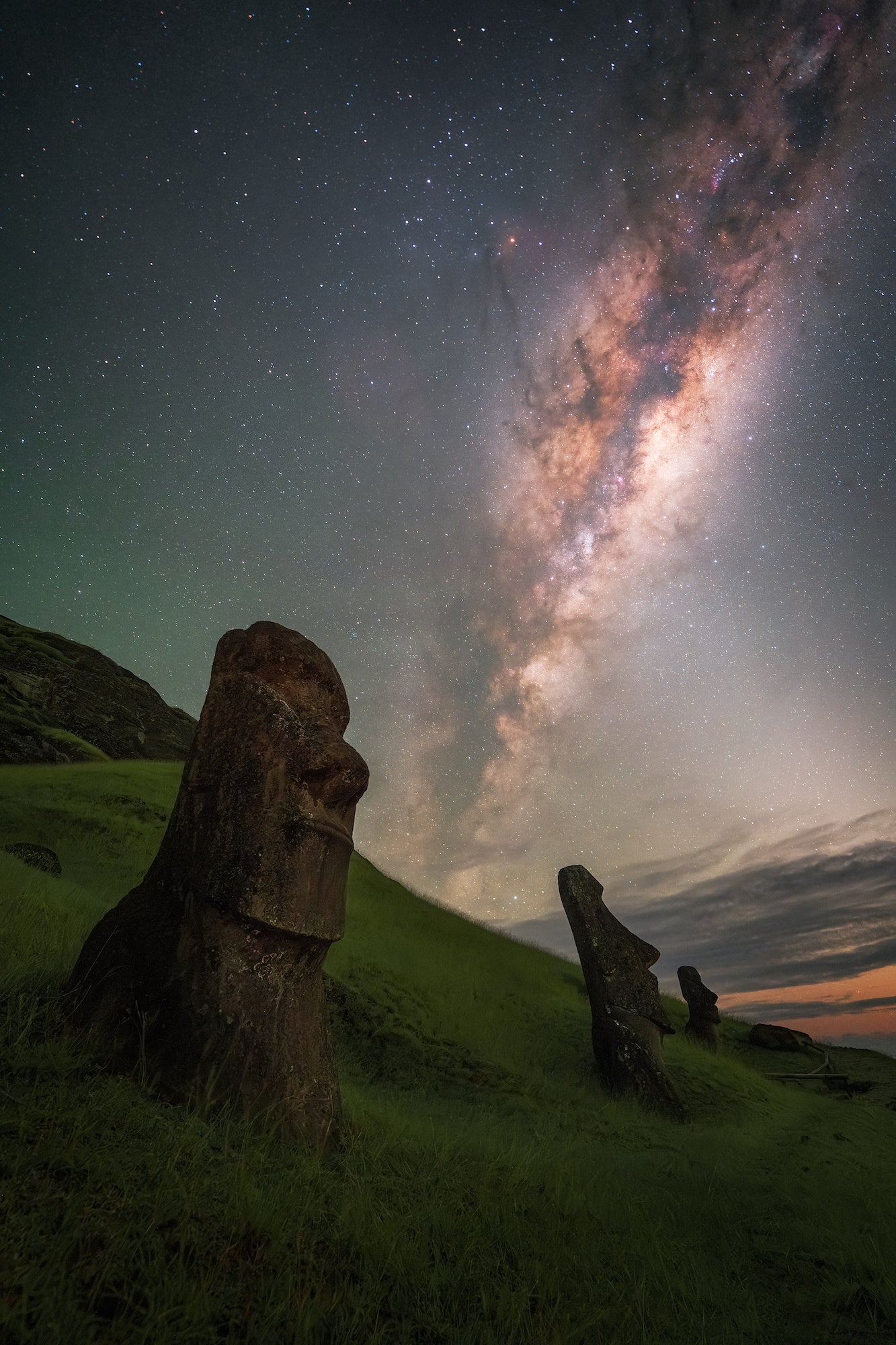
Photo by Rositsa Dimitrova. Astromodified Alpha 7 III. 14mm f/1.8 G Master.
Photography On Easter Island (+ Anakena Beach)
It was 2 a.m. on our first night at the enchanting and remote Easter Island, over 3,500 km from continental Chile and almost 15,000 km away from home. We had booked a 3 a.m. special stargazing tour months earlier - you cannot enter the majority of the official national parks in Chile on your own, especially at night - you need special permission and a local guide. This is Rano Raraku - the workshop for the infamous Moai statues, a high hill where most of them were created and later moved down on different sites around the island. When we left our accommodation, the sky was entirely covered in clouds despite the relatively clear forecast. But this is an island in the middle of the Pacific Ocean - the climate is very unstable, so we were still hopeful.
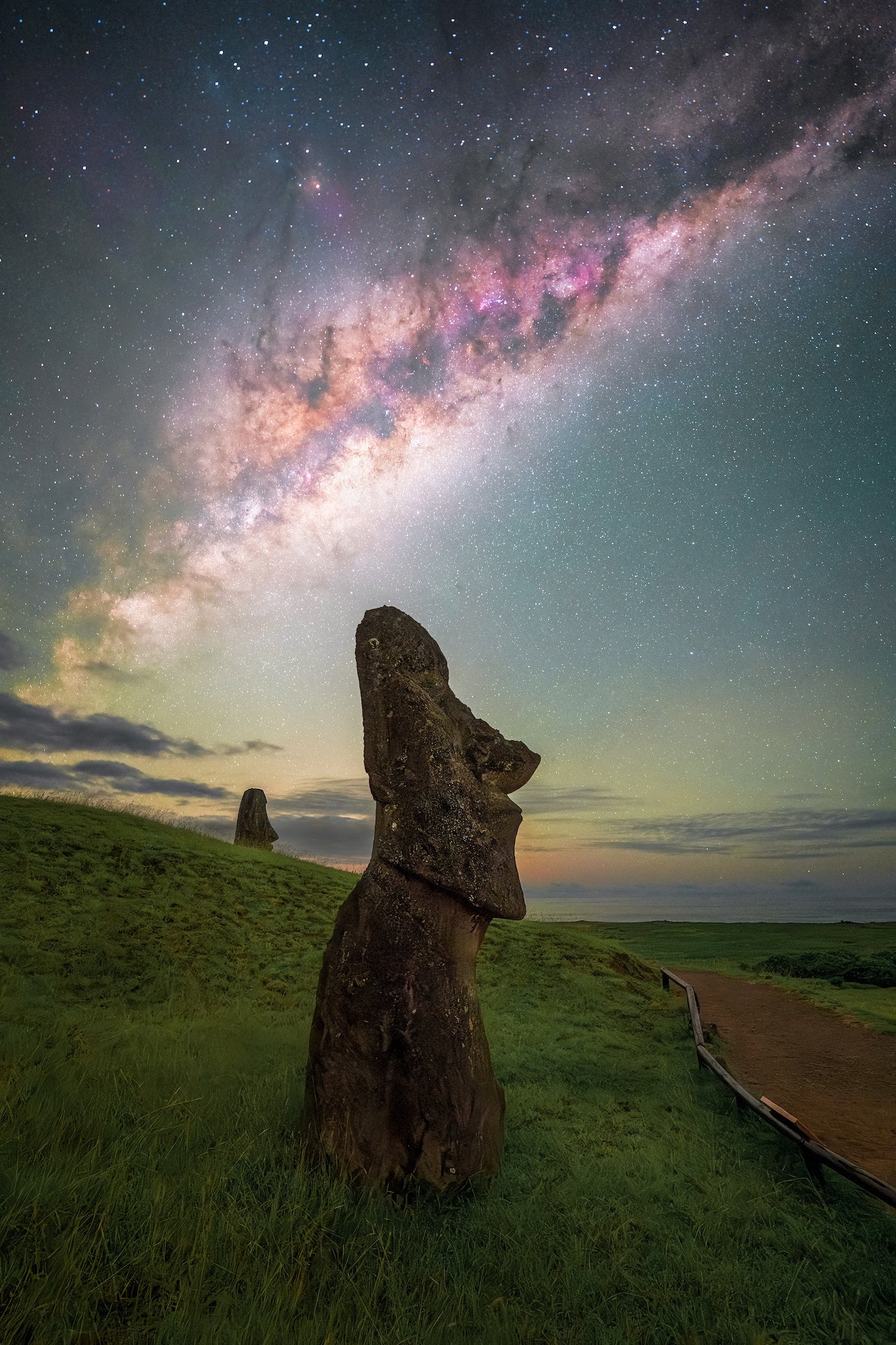
Photo by Rositsa Dimitrova. Astromodified Alpha 7 III. 14mm f/1.8 G Master.
Once we got to the site, we started setting up our cameras and took a few test shots. Only 30 minutes later the sky cleared up completely. Easter Island is so dark, that the Milky Way core shines bright enough to produce slight shadows below the Moai. That is the advantage of a Bortle 1 dark site (the darkest possible) - you can capture incredible details otherwise impossible. On our third and last night we decided to go to Anakena Beach - where no special permission is needed, but you still have to stay outside of the marked area. Even though it was a bit cloudy, I still managed to snap a shot of an almost clear sky above the fascinating statues.
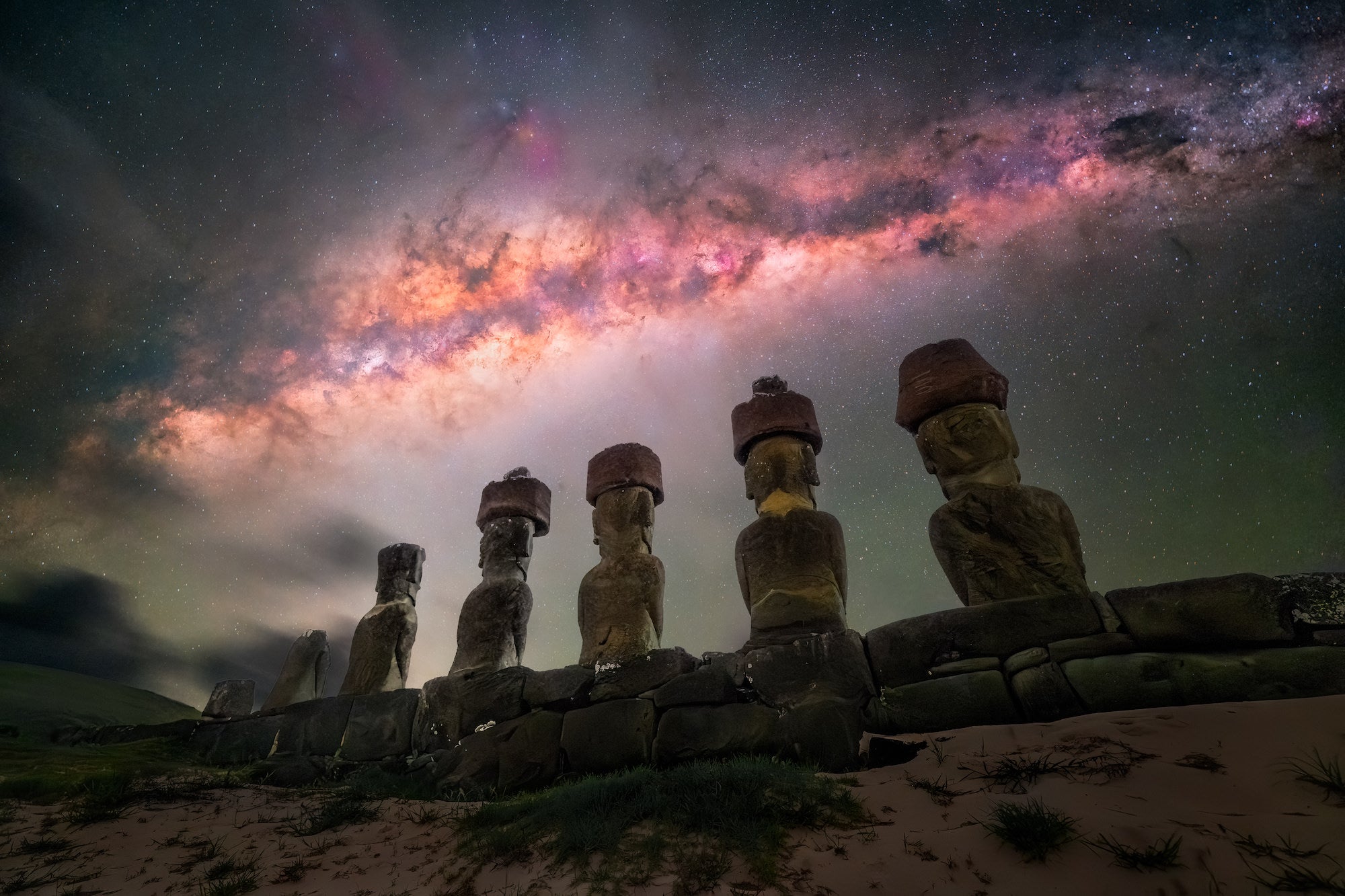
Photo by Rositsa Dimitrova. Astromodified Alpha 7 III. 14mm f/1.8 G Master.
The Best Wide Angle Lens For Astrophotography
I am utterly in love with the Sony 14mm f/1.8 G Master lens - the wide angle always makes sure I seek the perfect complex composition - and the starry skies always look sharp. This is the lens I recommend to every astrophotographer - and everyone has been incredibly happy with it. It is lightweight, sharp around the edges and just fast enough for the Milky way core. I also use an astromodified Sony Alpha 7 III - even though it's a bit older, its low light performance is stunning and it's still one of the most popular cameras among people in our community. The 24MP sensor gives great detail at night, the only feature I'm missing is a rotating screen - which is why I'd consider upgrading to Alpha 7 IV (Buy Now).
Capturing The Details Through Long Exposure
As the Moai statues are very dark, you need a longer shutter speed to be able to capture them in full detail. These photos are a blend (without moving the tripod) of two shots. The first shot is 90 seconds long, f/3.5, ISO 3200. I always close the aperture a bit for the foreground in order to get a better depth of field and reduce the need for complex focus stacking. The sky is a single shot for these images - 20 seconds, ISO 2000, f/2.0. I usually take more images for the sky and stack them, but at Rano Raraku we only had an hour and half for shooting - and I wanted to take all compositions possible with many different Moai, rather than waste time stacking. I used a sturdy tripod, as well as a remote shutter (in order to get the 90-second exposure).
How To Edit Your Astrophotography
Editing is an important part of astrophotography - we mostly edit for contrast and noise reduction. I used Adobe Camera Raw for some basic edits, as well as their Denoise AI feature for the foreground (but only at about 30%) and then Adobe Photoshop for the more advanced edits. StarXTerminator is an integral part of my process - I use it for star reduction and it cleans up the image nicely.
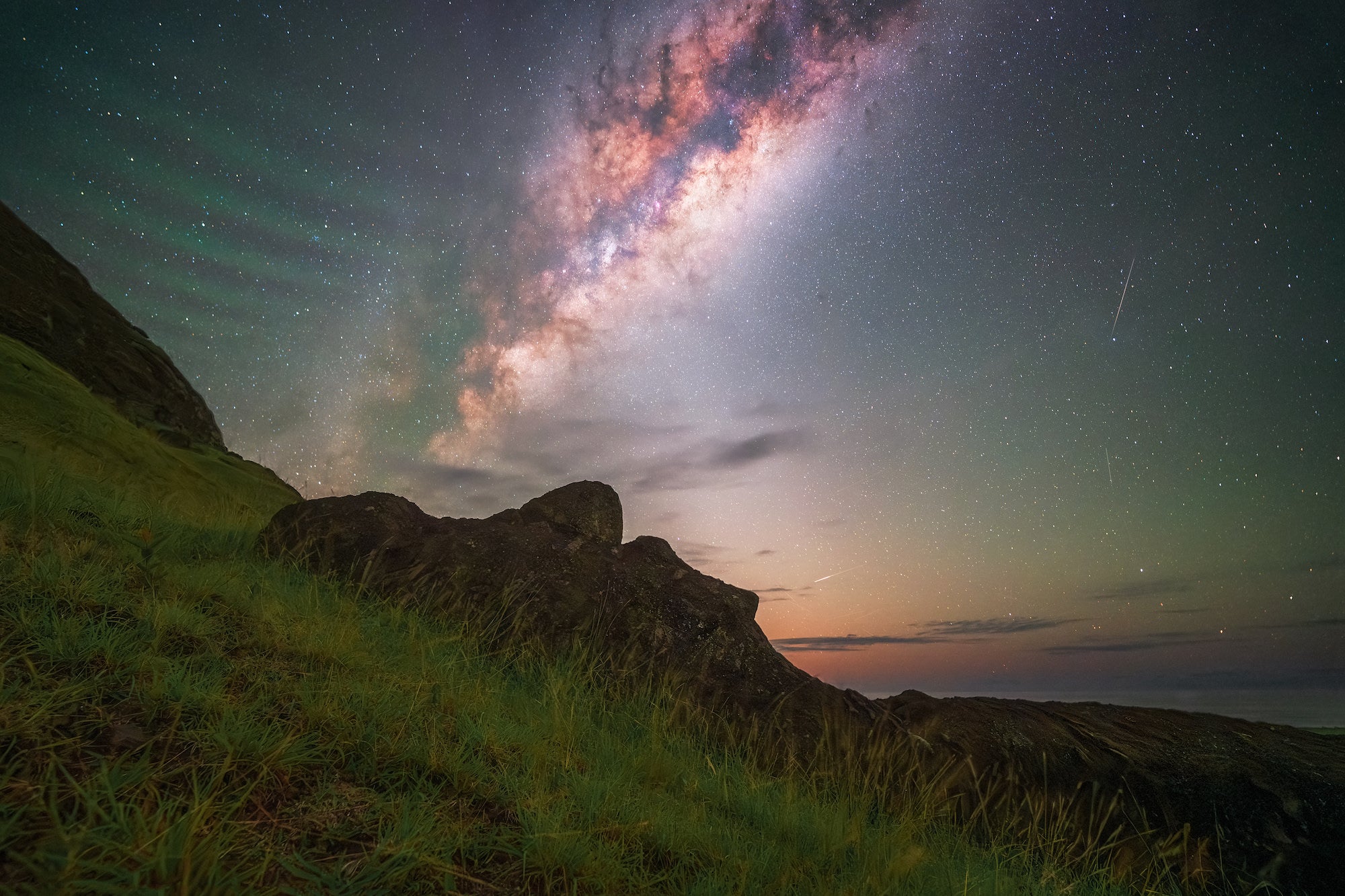
Photo by Rositsa Dimitrova. Astromodified Alpha 7 III. 14mm f/1.8 G Master.
In addition, I use the Photoshop "Dust and Scratches" to reduce the noise even further, and finalize this part of the process with Topaz Denoise AI (it cleans up the rest of the noise and sharpens the details). This makes the images nearly perfect for print. I also use Tony Kuyper's actions and luminosity masks for dodging and burning, as well as Nik Collection for some final touches and color correction.
See more of Rositsa Dimitrova's astrophotography on Instagram @tripswithrosie and at tripswithrosie.com.
To capture the peaks of more decisive moments, purchase the Alpha 7 III or take it up a level with the Alpha 7 IV.
For the ultimate large-aperture ultra-wide-angle prime lens, purchase the 14mm f/1.8 G Master.