The new GP-VPT3 Wireless Shooting Grip is a fun accessory that makes it easier to shoot vlogs and videos, as well as take selfies when you’re on the go. Sony Artisan Miguel Quiles has had the chance to use the new grip, and in the video below he takes a deep dive into three key features that he thinks you should know about. “All of these features come together to make the VPT3 one of those essential accessories that you’ll want to carry with you on your next photo or video shoot.” Watch and read more below:
1. Wireless Operation
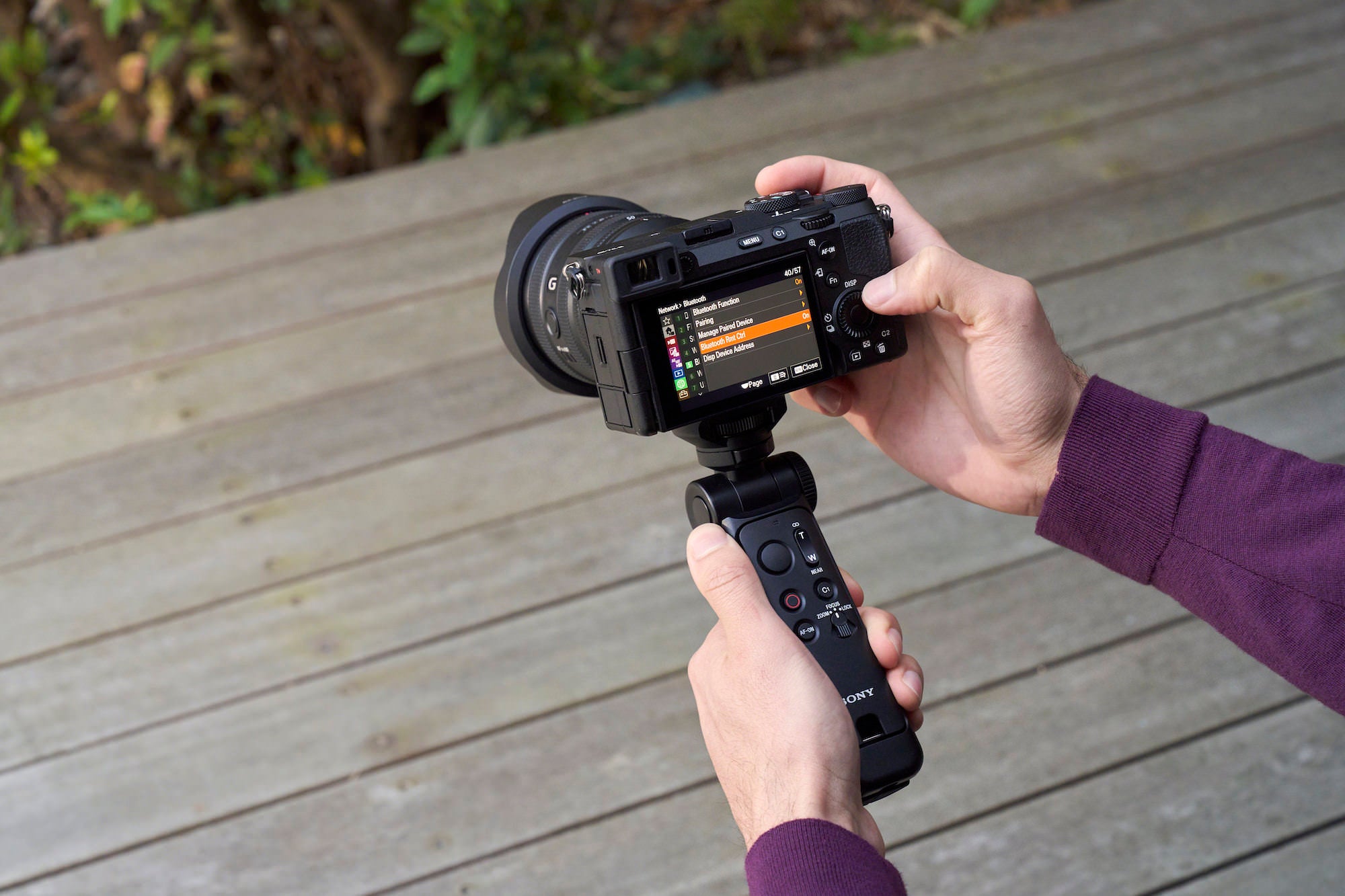
The GP-VPT3 uses Bluetooth to pair up quickly with a Sony camera, giving you speedy access to common features. “On the remote itself, there’s a large button that can be used to take photos,” Quiles explains, “a zoom toggle switch that pairs up nicely with some of Sony’s power zoom lenses – like the 16-35mm f/4 that I’m using in this video. There’s also a video recording button, a C1 button that can be customized in the camera to quickly access whatever feature it is that you use the most, an AF-ON button, and a mode selector dial.”
He continues, “To turn it off, you place the dial in the lock position. And you’ll notice that there’s a focus and a zoom option on that same switch. Depending on which one you select, you can change the operation of that toggle switch to either control the zoom on your lens, or to control the focus on your camera.” Quiles says that this feature really comes in handy when you’re shooting a focus-bracketed image – something he’ll explain further in an upcoming video.
2. Removable Remote
With the new GP-VPT3, you can choose to either have the remote control attached to the grip, or you can remove the remote control to still have control of your camera while still being able to use the tripod. “The remote is held securely into the grip until it’s time to use it, where a firm pull from this cutout area of the grip get the remote out and ready to use on its own.”

3. Versatile Tripod
Beyond just using the grip for vlogging or for taking selfies, Quiles shows how you can quickly pull the legs out from the grip to create a tripod. “There’s some cool functionality built into this that you don’t see very often in grips like this. First, you can quickly tilt the camera forwards or backwards into various different positions by simply pressing this button on the side, adjusting the angle from there and then releasing the button.”
There’s also another function of the grip that Quiles says really comes in handy when you’re vlogging. If you’re filming a vlog and talking to the camera, but suddenly decide you want to show the viewer something that’s in front of you – the GP-VPT3 makes it easy. You don’t have to turn the grip around, losing access to the remote. You also don’t have to loosen the knob on the grip to clumsily turn it around.

“Instead of doing all that,” Quiles says, “you could simply press this button on the grip which allows the camera to spin 360 degrees or lock into one of four positions. Now, you could quickly switch from a shot where you’re talking to the camera to showing what’s in front of you in seconds.”
Learn more about the GP-VPT3 Wireless Shooting Grip HERE.
Learn more about the RMT-VP2 Wireless Remote Commander HERE.