
Self-taught photographer Karol Dobrowolski moved to Iceland in his early 20s. “It was a risky move for me at the time,” he explains. “And at the very beginning of my journey, I wanted to photograph almost everything that I saw – all the dramatic roads of the Westfjords, cliffs and fjords itself. I treated photography as a huge passion but nothing more at the time. I was hooked and I experimented with different kinds of styles and scenarios. It all changed in 2023 when I witnessed a volcanic eruption right in front of my face, literally. Ever since that event, I started to think about photography as more than a hobby or passion, but a future goal and a way of life.”
Fast forward to July 2025, when another volcanic eruption in Iceland offered Karol the opportunity to capture the natural event again. We caught up with him to learn more about his experience photographing it with his Alpha 7R IV and two popular zoom lenses – the 24-70mm f/2.8 G Master and 200-600mm f/5.6-6-3 G. Keep reading as he shares the story behind the images that show off the unique patterns formed by the lava from an eruption.
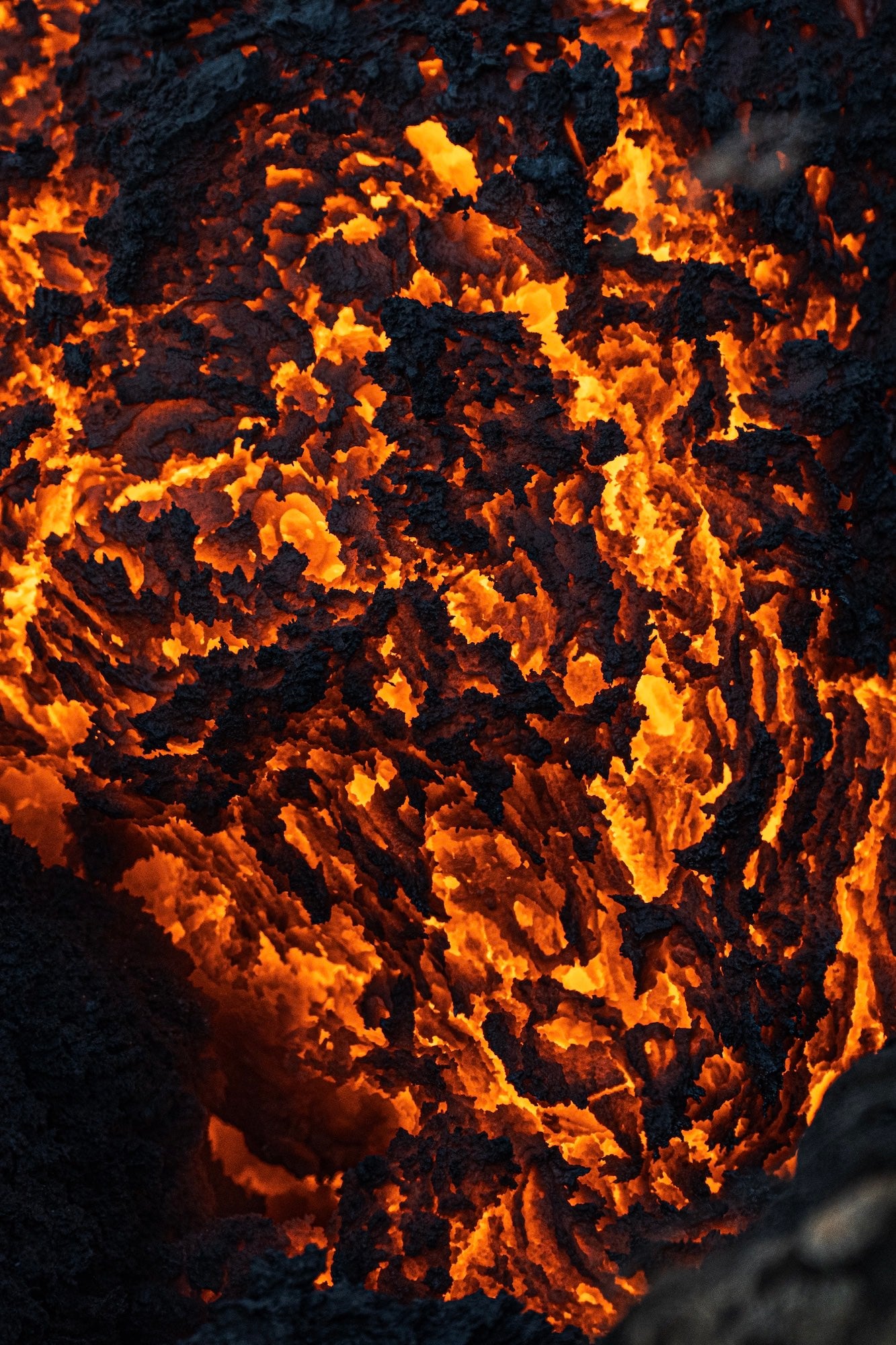
Photo by Karol Dobrowolski. Alpha 7R IV. 200-600mm f/5.6-6.3 G. 1/400-sec., f/6.3, ISO 1250
Planning & Packing For A Volcano Photo Adventure
First and most important is the planning and packing. I had to make sure that I had enough clothes. Although the weather was really nice and warm that day, I still had in mind that I do live in Iceland and would be hiking 5km one way to the eruption site. Weather can change drastically…within minutes.
I had solid hiking boots, a breathable pair of socks, shorts, longer trousers, a breathable t-shirt, Icelandic wool sweater, cap and a backpack. Having layers is a key to any successful hike/expedition in Iceland. This one was no different. I was ready for all kinds of weather but luckily for me, it was just clear sky, full sun and unusually warm.
My next step was to make sure I had some snacks and enough water because before I began the hike, I needed to drive to the destination around 80km away from where I live. So snacks and enough water was a must as I expected the majority of the day to be outside. Once everything was packed, including my fully charged gear, I started driving toward the eruption site.
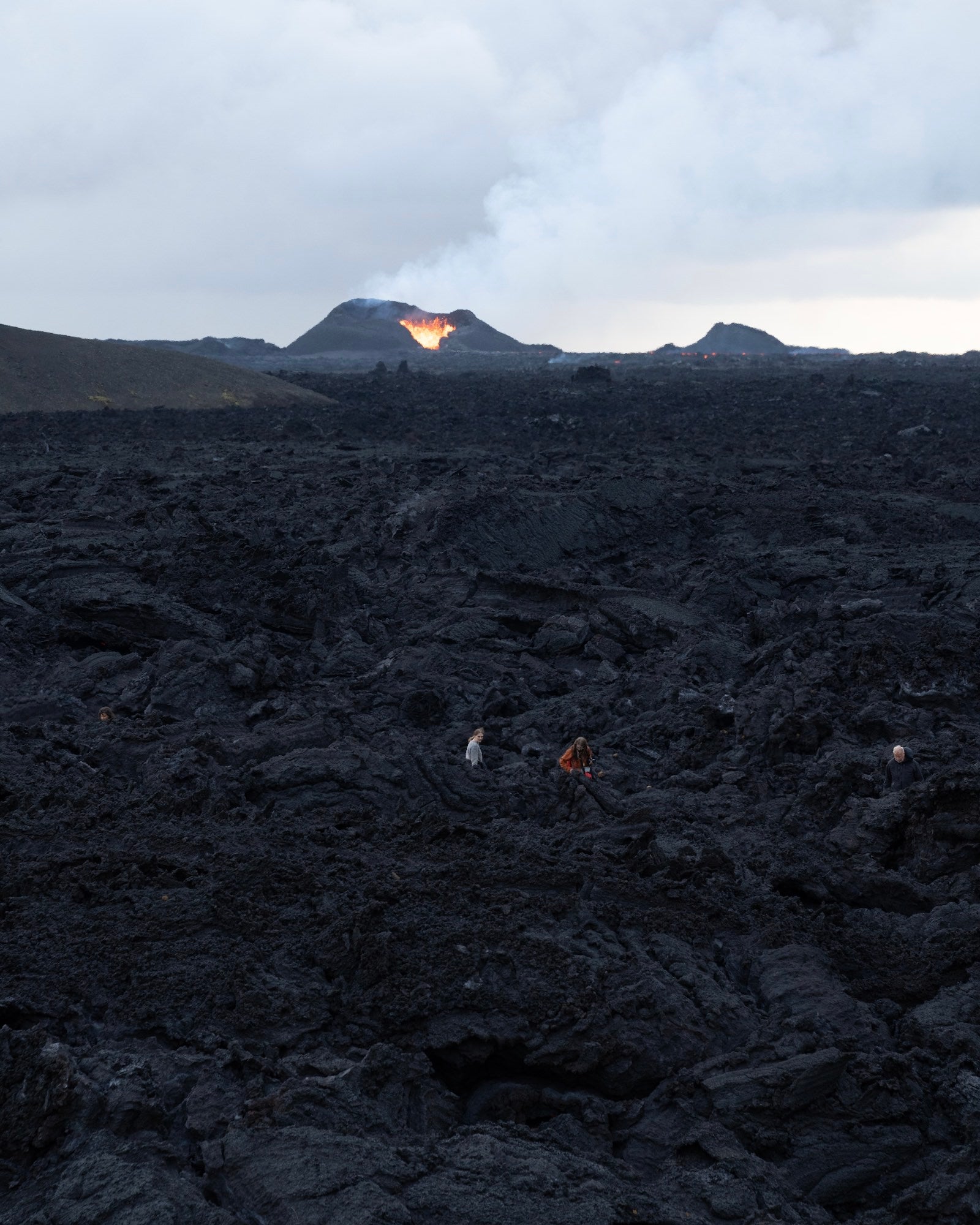
Photo by Karol Dobrowolski. Alpha 7R IV. 24-70mm f/2.8 G Master. 1/250-sec., f/5.6, ISO 1250
This volcanic eruption took place in Reykjanes Peninsula in Iceland, more specifically it was Sundhnúkagígar crater row. The same place where all of the most recent eruptions in Iceland happened, however this was much different compared to other eruptions as this was the first time since July 2023 where the hiking trail towards the eruption site was open to the public. Every other eruption that occurred there was off limits due to safety reasons.
After I had arrived and hiked my way to the eruption site, I saw something I had never seen before. A fresh, black pile of solidified lava. 2/3 meters tall, moving very slowly. Probably not visible for an eye but it was slowly creeping in while four eruptive vents shot out lava just 1.2km away from where I was standing. I stood there in awe, processing everything that I saw. It was an unreal moment.
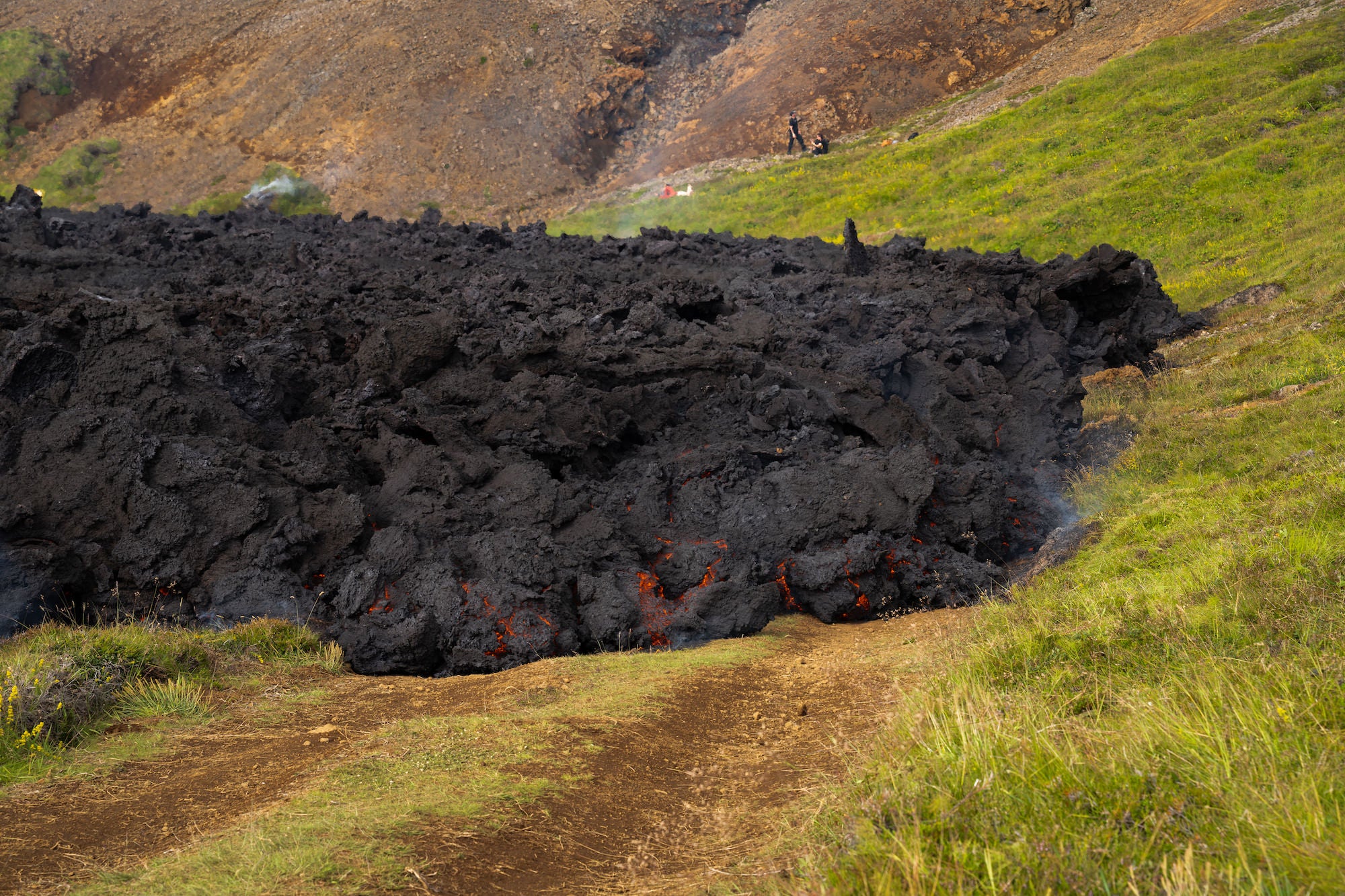
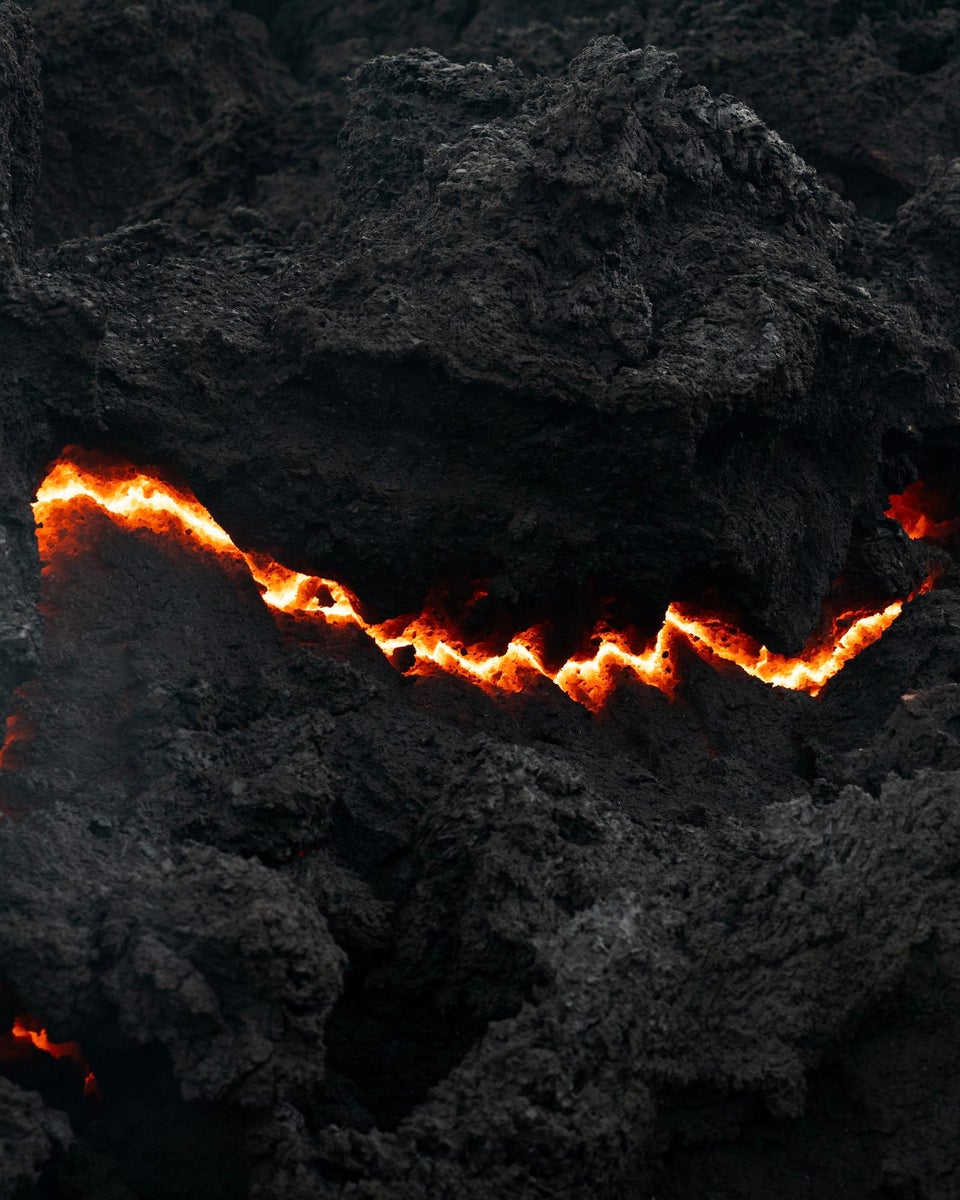
Photo by Karol Dobrowolski. Alpha 7R IV. 24-70mm f/2.8 G Master. 1/160-sec., f/8, ISO 250
Shortly after I grabbed my camera and started shooting. I knew that this was my chance. An opportunity to have very unique photographs that would stand out among others. I did these to test myself in a new environment, and to finally make a dream come true.
Getting Up Close To Lava With Zoom Lenses
To be able to capture everything the way I wanted, I needed solid and reliable gear and I’m lucky enough to have just that. My Alpha 7R IV paired with 24-70mm f/2.8 G Master is an absolute powerhouse. This setup allowed me to experiment with the background and foreground in order to create unique and eye-catching perspectives while still maintaining high-quality images.
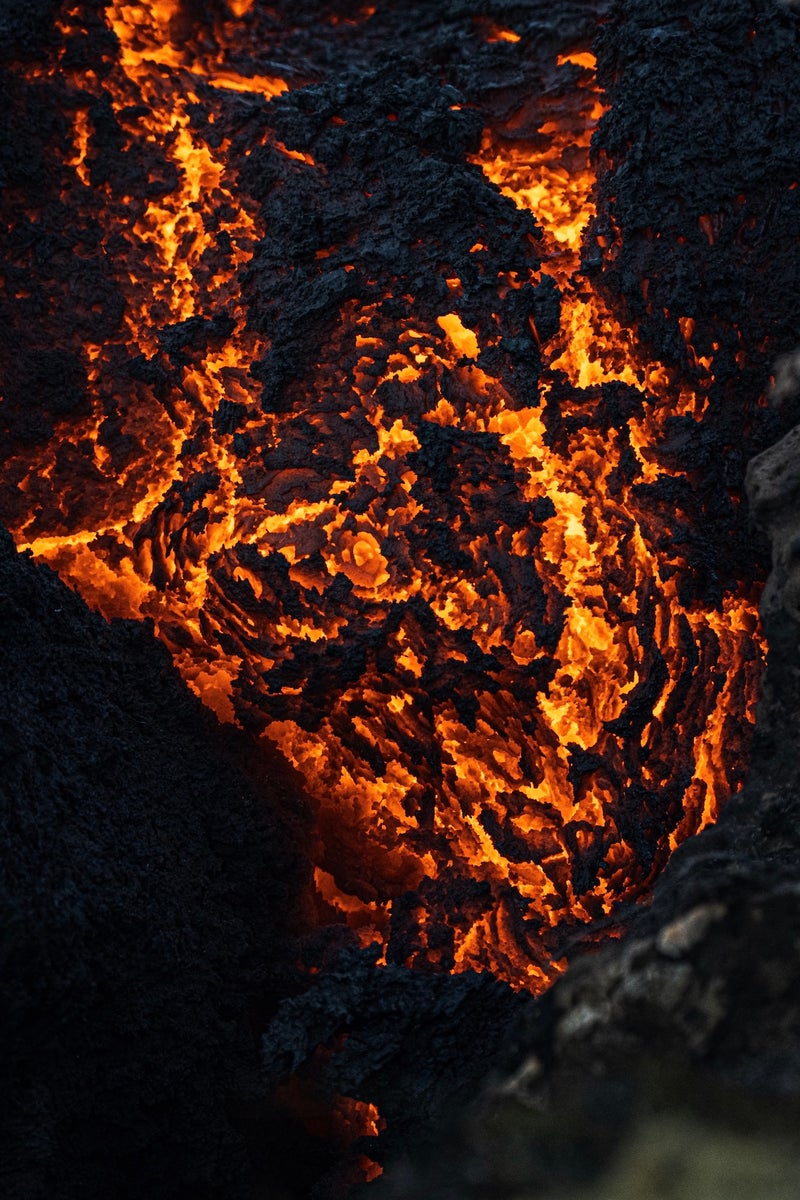
One more piece of gear I took along with me on this adventure was my newest addition to my Sony collection, the fantastic 200-600mm f/5.6-6-3 G lens. I was debating with myself if I should take it or not, but I decided it would be worth it and I’m so glad I was right. After I felt like I had taken enough with my 24-70mm f/2.8 G Master, I switched to the 200-600mm f/5.6-6-3 G and started to take a closer look into the slow-flowing lava. Since I already took wide enough shots with the previous lens, I went all in with the 200-600mm. This was the reason I brought this lens with me on this day – to look as closely into the molten rock as possible – and the results were fascinating. I dreamed of these moments. To be so close to an actual lava flow and to be able to document it all in ultra-high quality with maximum details that my gear provided me – it was a true dream come true.
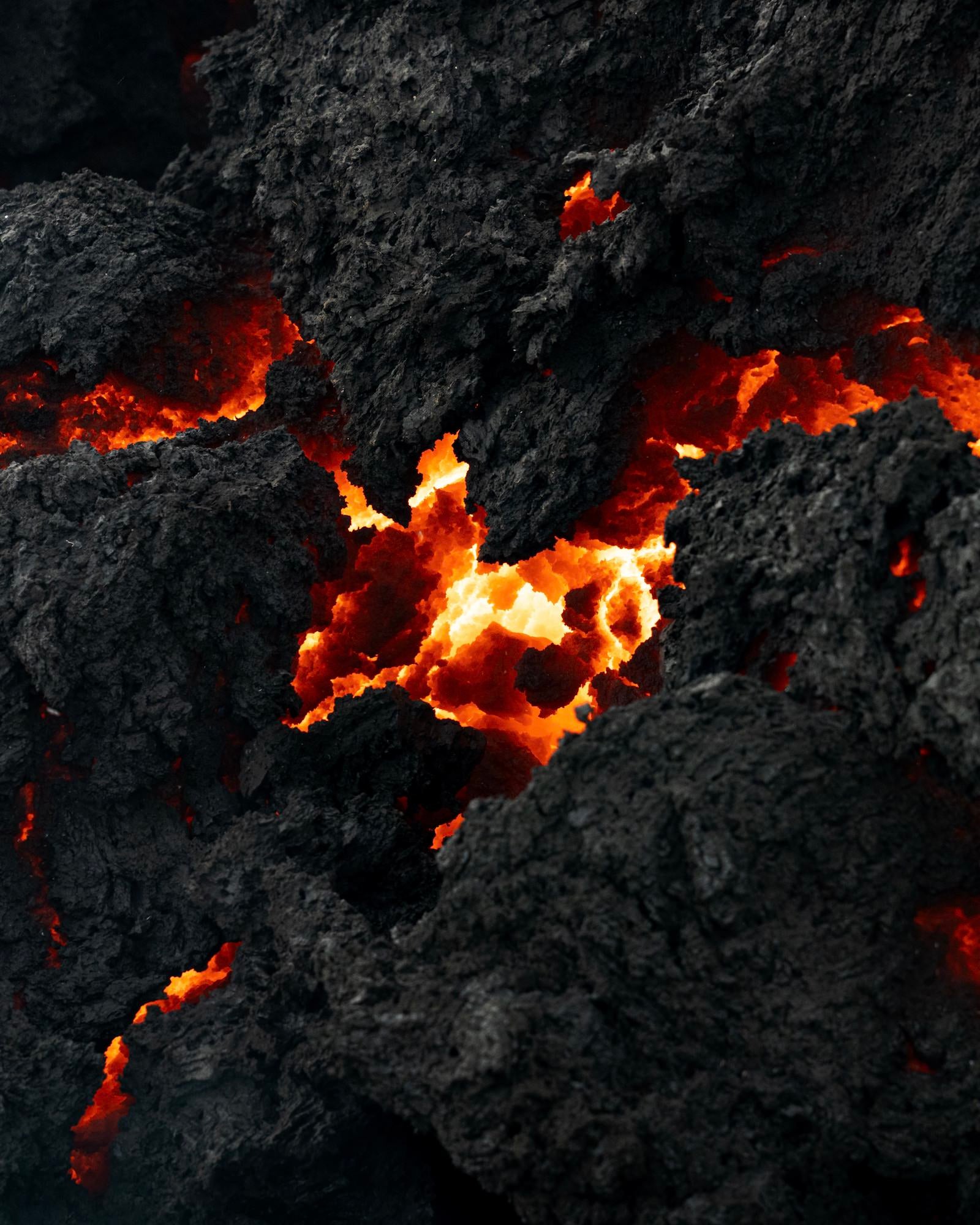
Photo by Karol Dobrowolski. Alpha 7R IV. 24-70mm f/2.8 G Master. 1/160-sec., f/8, ISO 250
Experimenting With Camera Settings
To capture these photographs I had to experiment a little bit. It was my first time shooting lava up close with a camera so it was both extremely fun to experiment as well as extremely stressful because I really wanted to nail these shots.
However, let's start from the beginning. It was a very sunny day in the middle of summer, so the sun was very harsh. When you add into that almost pitch black solidified lava, the conditions to photograph were becoming a little unfavorable.
I am a big fan of handheld photography so as you may assume, I did not use a tripod for any of my photographs. It was all about finding a perfect angle so when I discovered a certain spot of lava, I looked around the area and looked for the closest possible place that I could stay without burning my eyebrows off. After a little walk around, I found a favorable location, sat on my knees and went all the way down to the ground with the camera in order to have glowing lava in the same line as the lens instead of looking at it top-down.
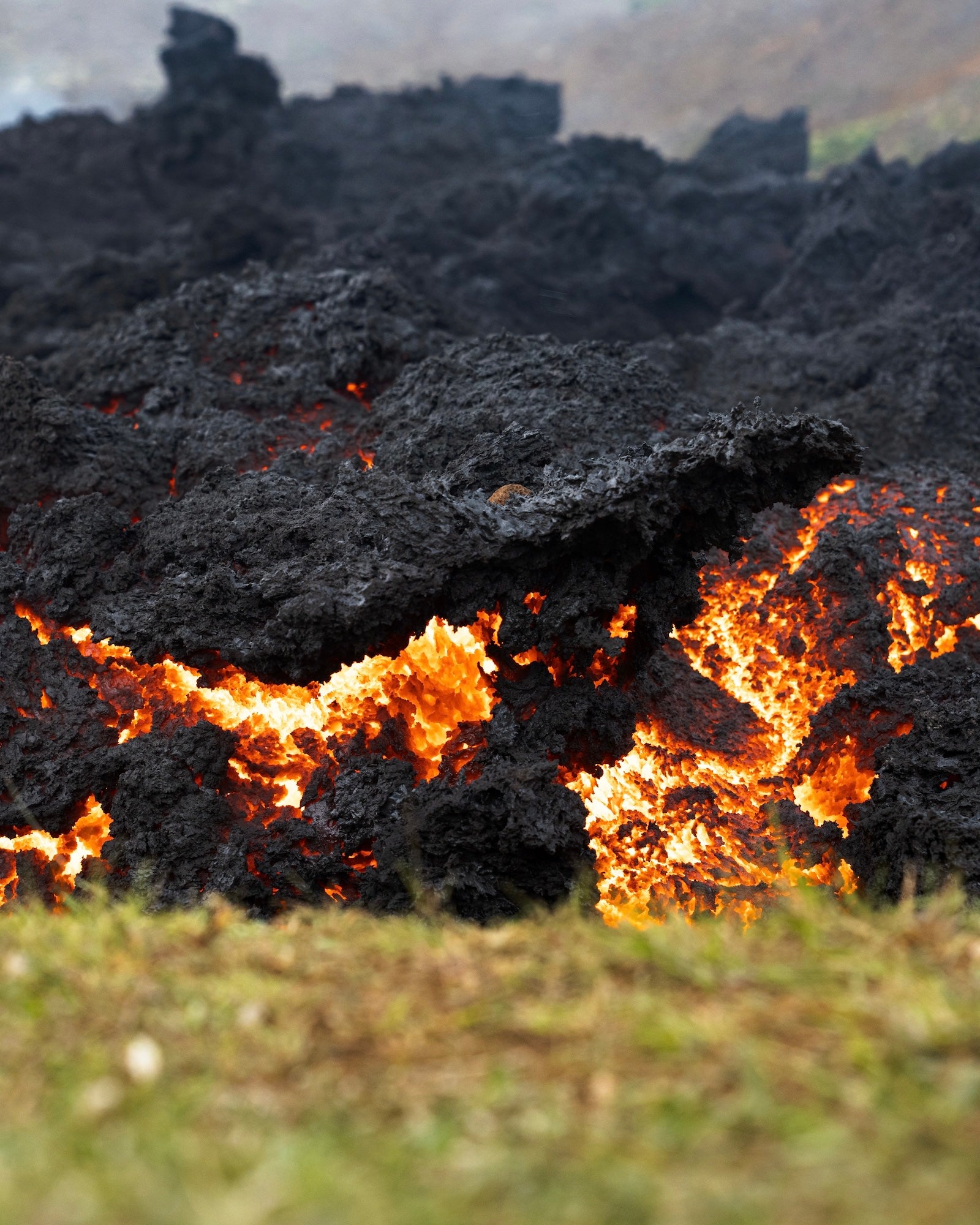
Photo by Karol Dobrowolski. Alpha 7R IV. 24-70mm f/2.8 G Master. 1/160-sec., f/5.6, ISO 1000
By doing so, I could capture the whole glow and flames of red-hot lava with solidified parts all around it, which gave the lava that great contrast. I took multiple shots of the same spot – some with AF locked on, and some with MF locked on. I did that just to make sure that at least one image would be fully focused the way I wanted. I repeated the same process as long as I found interesting formations.
Now let’s talk about the settings that I used on my camera. For the set taken with the 24-70mm f/2.8 G Master, the majority of my photographs were taken with:
Shutter Speed: 1/160-sec – ensures that the shot I take will be sharp and detailed.
Aperture: F5.6 – my sweet spot for this set of gear.
ISO: AUTO ISO was set with a maximum cap of 1250. The majority of the photographs were taken with the ISO between 800 – 1250.
This combination allowed me to take correctly exposed photographs while maintaining extremely sharp details with barely any noise visible in post-production.
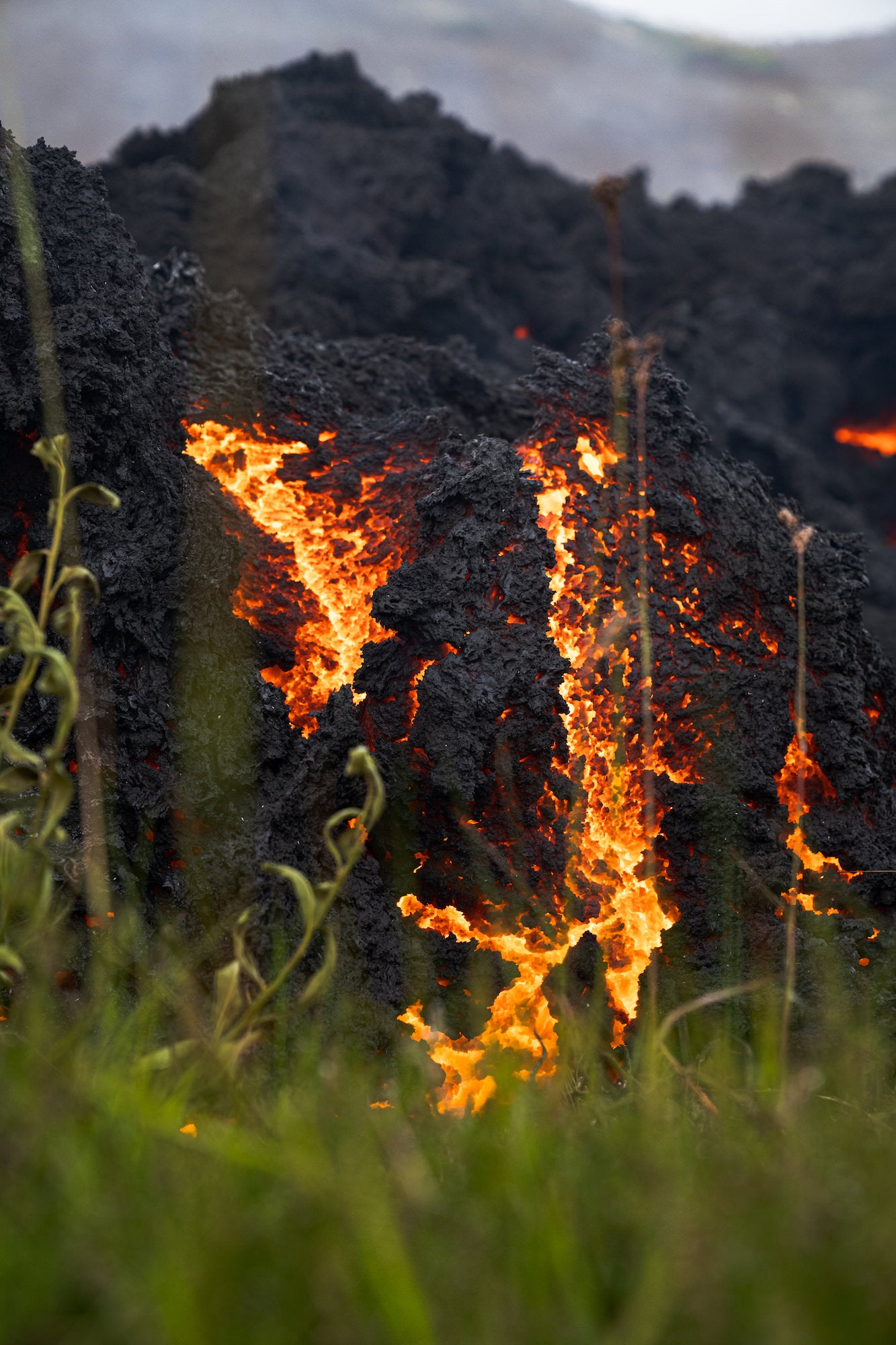
Photo by Karol Dobrowolski. Alpha 7R IV. 24-70mm f/2.8 G Master. 1/160-sec., f/5.6, ISO 1000
For the other set of photos taken with the 200-600mm f/5.6-6-3 G, I used slightly different camera settings but my technique was exactly the same as with the previous lens:
Shutter Speed: 1/400-sec.-1/640-sec. – ensures the image is sharp and detailed. At maximum zoom (600mm) every single movement of the hand is noticeable so I wanted to make sure that even if I flinch, the image will be sharp.
Aperture: F6.3-F8.0 – Both apertures performed great and I was really happy with the results
ISO: 1250 – Shutter speed and aperture was much higher than with the 24-70mm and that made the ISO be at the highest cap that I have set for every image.
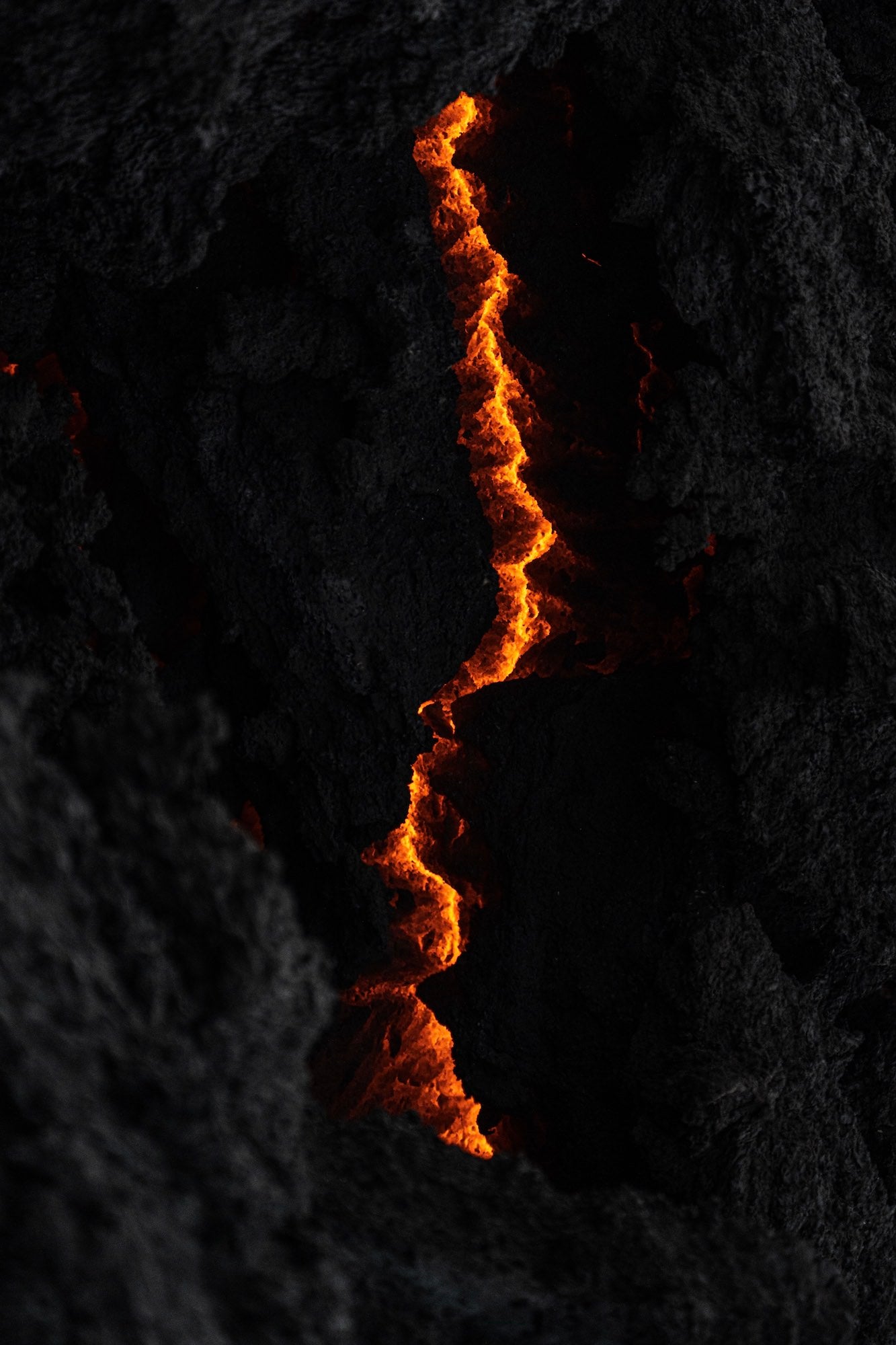
Photo by Karol Dobrowolski. Alpha 7R IV. 200-600mm f/5.6-6.3 G. 1/640-sec., f/6.3, ISO 1250
A Simple, Basic Editing Process In Lightroom Mobile
All images have been edited in the Lightroom Mobile app. Here is my process:
I start with the Tone Curve. This acts as a first layer on the image and sets the base for next editing. I adjust the darker tones and the highlights as it suits me and once I am satisfied with the results, I move into color settings.
Once in there, I go into Color Mix and adjust the reds, orange and yellow colors in order to make the glow of the lava eye-catching, but still very realistic at the same time. Lava photographs like this would not allow me to oversaturate or over-highlight a certain color, because it would just look very unnatural. So I go through the colors and move the slider left or right, depending on the preference, by a maximum of -10/+10 luminance on each color. Once the luminance is done, I slightly adjust the Hue. Same as before, I move the slider left or right by a maximum -5/+5 just to highlight a certain area slightly more.
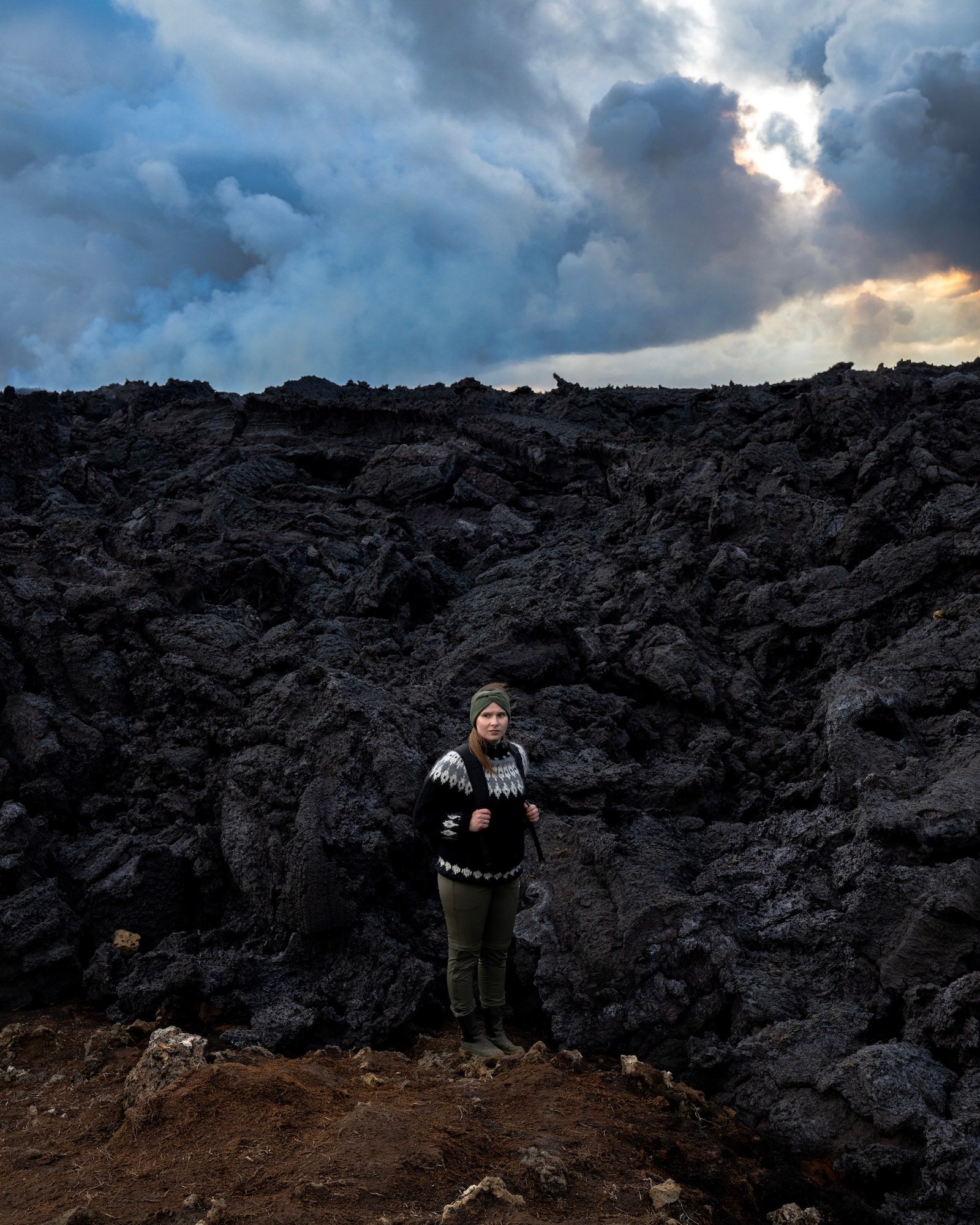
Photo by Karol Dobrowolski. Alpha 7R IV. 200-600mm f/5.6-6.3 G. 1/250-sec., f/5.6, ISO 1250
Once this is finished I move into Effects. In this tab I increase the Texture by +5/+15 depending on the image and Clarity by +5/+10 to give the image an extra crispy look. Once that is adjusted, I move the Dehaze slider by +5 to create a little bigger contrast between the solidified lava and the red glow.
Then I go back into the first tab which is called Light. In there I am slightly adjusting Contrast, Highlights and Whites by 5+ and on the other hand Shadows by -5/-10 and Black by -5.
I inspect the image and its aesthetics throughout the editing process so if there is something that doesn’t fit, I adjust it. Once I’m done editing, I give it a final look to make sure everything is the way I intended. Once this is finished, the image is ready to be exported.
There is no secret or a special feature behind this or any other of my lava edits. It’s a very simple, basic edit that took me no longer than seven minutes. I wanted to capture lava in its full, natural glory and if I have to do just a few tiny adjustments in post-processing to make it shine, then I believe I have achieved my goal.
See more of Karol Dobrowolski’s work on Instagram @karoldobrowolski_.
Check out the gear from Karol's volcano-capturing kit:
–Alpha 7R IV
–24-70mm f/2.8 G Master
–200-600mm f/5.6-6-3 G