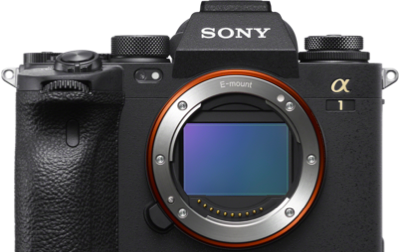
Chicago summers come with a bonus: some of the most dramatic lightning you'll ever shoot. Alpha Collective member Mike Meyers takes full advantage, using the Sony Alpha 7R V and 24-70mm f/2.8 G Master II to capture and composite stunning bolts across the city skyline. Here's exactly how he does it – safely.
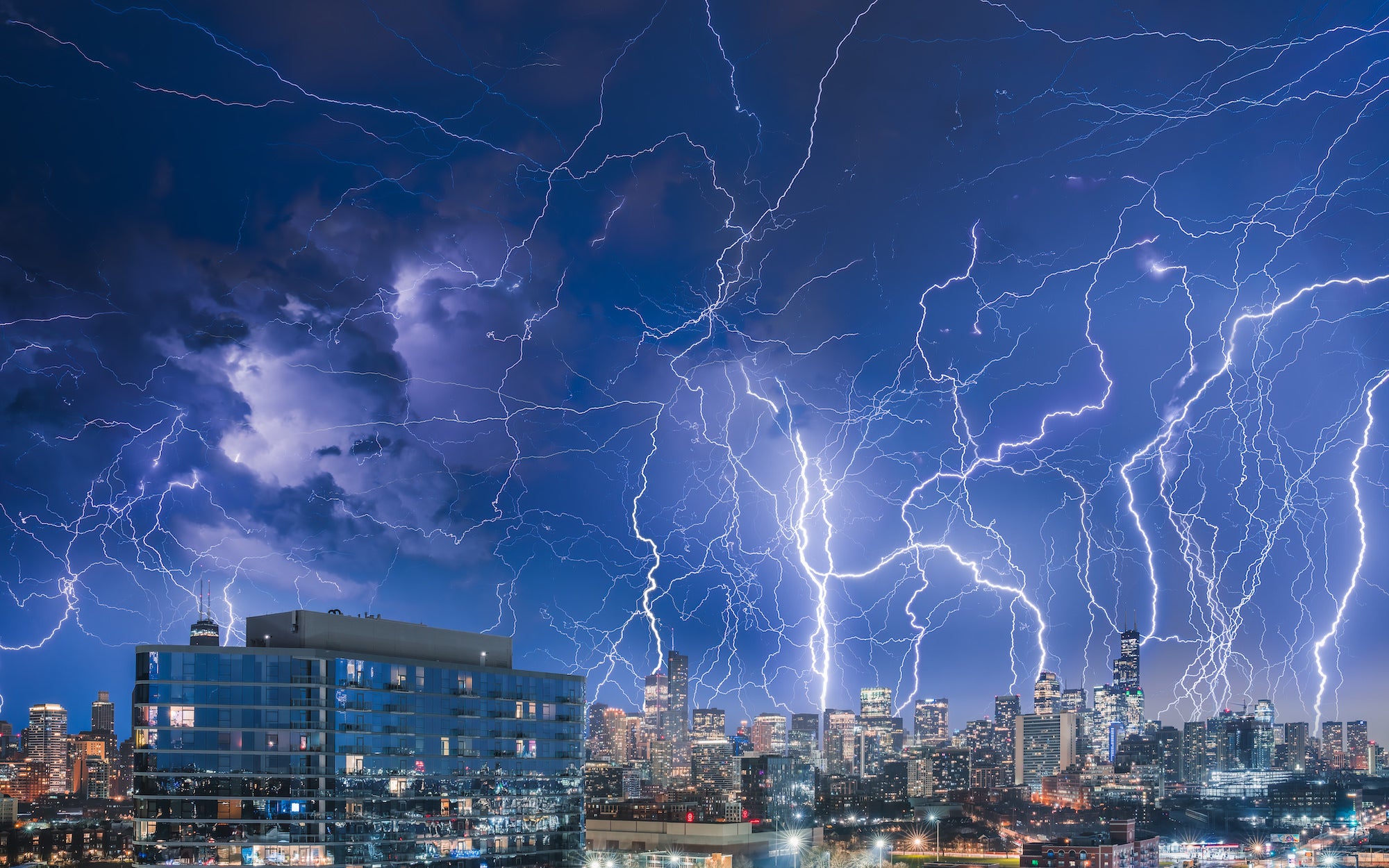
Photo (composite) by Mike Meyers. Alpha 7R V. 24-70mm f/2.8 G Master II.
Safety First
There are a lot of reasons to get excited about summer in Chicago. Along with the temps being on the right side of 70, we get some pretty powerful lightning that can be a lot of fun to shoot. Before we get into how you can create a lightning composite like the one above, it goes without saying that these storms are dangerous and it’s obviously not worth putting yourself in a bad spot for a shot. I’m lucky enough to have a covered balcony with a decent view of the city which is how I stay out of harm’s way when I’m shooting.
Tracking The Storm
It’s always a good idea to check the radar and see which direction the storm is coming from so you can set up and start shooting before it gets to you. In order to get all the shots to create this composite image, you’ll need to run a timelapse - so you don’t want to have to stop and change compositions mid shoot.
Camera & Lenses For Lightning Photography
The Alpha 7R V is my go-to for any cityscape/landscape or timelapse work. The built-in intervalometer and 61MP sensor make setting up for a timelapse really easy - and you get extremely high-resolution images. Storms are unpredictable, so being able to crop into the action in post and still have a large file is a huge plus. For my lens, I chose the 24-70mm f/2.8 G Master II. At 24mm I can fit in almost the entire skyline with plenty of sky to capture the bolts. It’s super sharp through the entire range, and at that focal length I can still get nice detail in the buildings. The 12-24mm f/2.8 G Master is another solid choice for storms – also very sharp and its wide focal range is perfect for capturing the scale of a massive summer storm.
The Setup
If you can, find a compelling foreground and set up like any other landscape/cityscape shot. The lightning will obviously be the main character, but properly composing your foreground and middle ground can make or break the shot. Once you’ve got your composition, lock off your camera on a tripod and bring up the interval shooting menu to dial in your timelapse settings. Shooting at blue hour/night is actually a bonus for capturing lightning since you’ll be able to take exposures lasting several seconds, which makes it easier to capture bolts. I find around eight seconds to be a good interval, but a lot of this depends on your settings (which I’ll get to in a second). Just make sure you’re set to capture enough shots to shoot through the end of the storm. The camera does the math for you and shows you how long your timelapse will run for based on how many images you choose.
Camera Settings For Lightning
First thing’s first – manually choose a white balance. For night shots, I like something around 3700, but just properly adjust for the scene and set your Kelvin how you like it. You don’t want your white balance shifting from image to image.
You should be able to leave your ISO at 100. Your f-stop and shutter speed are a bit of a balancing act. You want your interval and your shutter speed to be the same. Since I set my interval at 8-sec., I want my shutter speed to also be 8-sec. This way your camera starts shooting the next image immediately after shooting the last. This maximizes your chances of capturing a bolt.
With a shutter speed of 8-sec., I was properly exposed for the shot at f/8, which was perfect for this kind of shot. You want your midground and the lightning to all be in focus, so an aperture of f/8 or higher is preferable. But you can change your shutter speed, aperture, ISO and interval time to dial in your settings and perfectly expose for whatever conditions you’re shooting in.
Making The Composite
I ran my timelapse for a couple hours and ended up with a few hundred shots. It was an insane storm and I came away with 79 individual photos with bolts. I edited the single image I liked the best (using Lightroom), then copied the settings. For this next step, you want to put this same edit on all your photos. So select all the images with lightning in them (along with your edited image) and sync the settings. Once everything is synced, open them all in Photoshop as layers.
Depending on how many images you used, this may take a minute. Find the image with the foreground/midground you like best. Different bolts light up your foreground in different ways, so it’s worth looking through them to find the best one. Drag that layer to the bottom of your layer panel and keep the blend mode on that layer as “Normal.” Then select all the images except that foreground image and change the blend mode to “Lighten.” Then you should see all the bolts in one image. You’ll need to play around with some masks on certain layers to polish things a bit, but other than that, you should be good to go!
See more of Mike Meyers' work on his Alpha Universe Profile and on Instagram @mmeyers76.